MT5 Gold Trading: How XAUUSD Works on MetaTrader 5
MetaTrader 5 is where many traders meet gold for the first time. The platform will not tell you what to trade, but it holds every detail you need to know before you do.

Key takeaways
- MetaTrader 5 is software. Prices, symbol names, contract sizes and costs are set by the broker providing the account.
- Gold may appear as XAUUSD, GOLD or a name with a suffix, and it may need to be shown in Market Watch first.
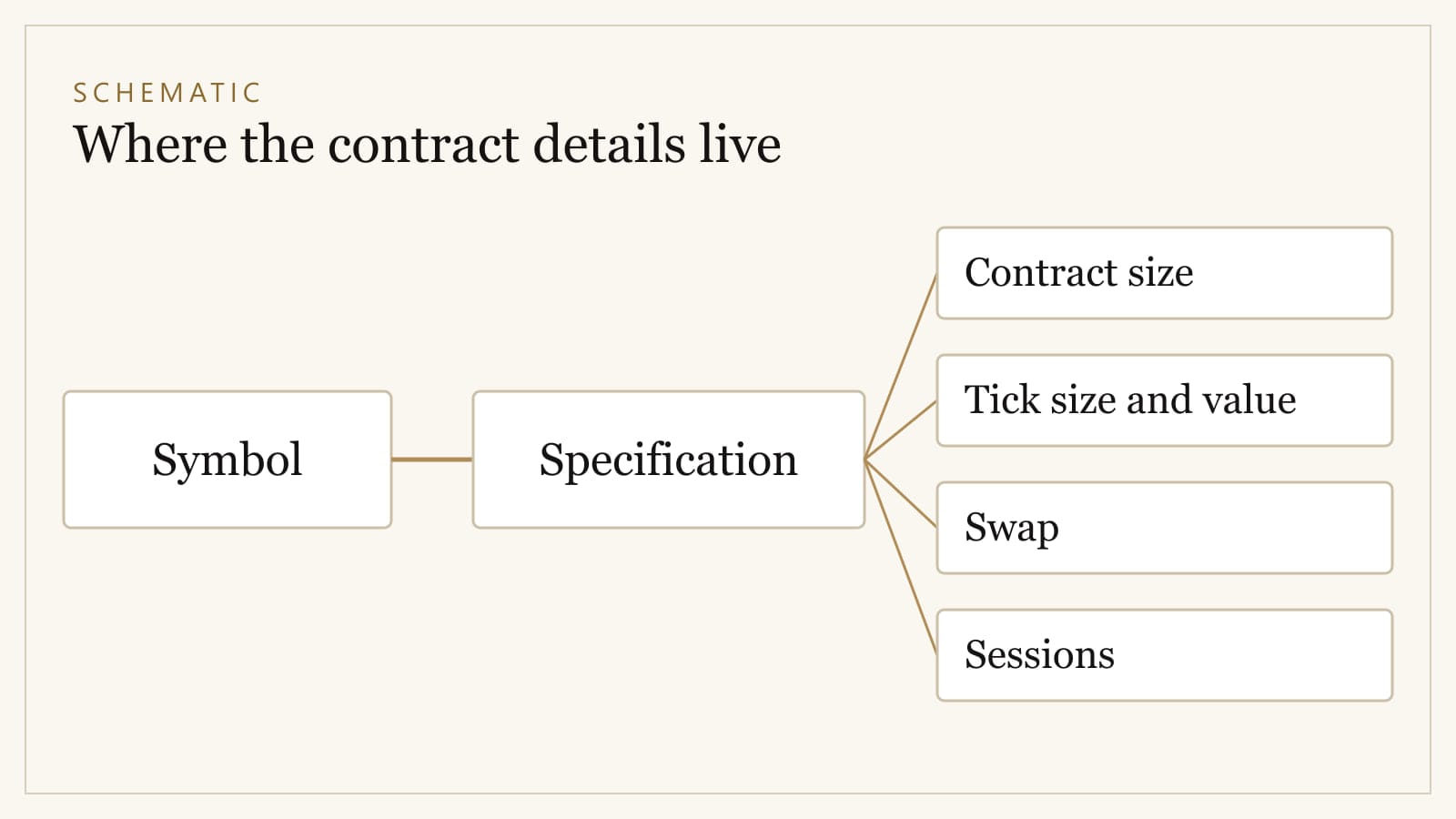
- The Specification window lists the contract size, price increments, volume limits, swap and trading sessions.
- Read the specification before the first trade, because the same lot size can mean different exposure at different providers.
In this article · 10 sections
The short answer
On MetaTrader 5, gold is usually listed as XAUUSD, though some brokers use GOLD or add a suffix to the name. Before trading it, open the symbol's Specification — right-click the symbol in the Market Watch window — and read the contract size, minimum price movement, volume limits, swap and trading sessions. Those details are set by your broker, not by the platform, and they decide what a trade actually risks.
MetaTrader 5 is software, not the market
MetaTrader 5 (MT5) is a trading platform made by MetaQuotes, a software company that does not itself provide brokerage services; traders use it through a broker. The platform supplies the charts, the order tickets and the tools. The broker supplies everything commercial: which instruments exist, what they are called, their prices, spreads, contract sizes, margin requirements and financing charges.
This is why two people both "trading XAUUSD on MT5" can be trading on quite different terms. It is also why advice that quotes a specific lot size or spread without naming the account is not very useful.
Finding gold in Market Watch
Market Watch is the list of symbols and live prices, usually on the left of the screen. If gold does not appear:
- Right-click inside Market Watch and choose to show all symbols, or open the Symbols window.
- Search for XAU or GOLD.
- Add the symbol to Market Watch.
You may see more than one version, such as a name with a suffix. Suffixes often indicate a different account type or pricing model. Make sure the symbol you trade matches your account — your broker's documentation will explain the naming.
Reading the Specification window
Right-click the gold symbol in Market Watch and choose Specification. The fields that matter most for a new gold trader are:
- Contract size — how many ounces one lot represents. This is the most important field on the page. Many providers use 100 ounces, but check.
- Digits — how many decimal places the price is quoted to.
- Tick size and tick value — the smallest possible price change, and what that change is worth for one lot.
- Minimum volume, maximum volume and volume step — the smallest position you can open, the largest, and the increments in between.
- Margin — how much margin a position requires, which depends on leverage and account settings.
- Swap long and swap short — the overnight financing applied to buy and sell positions held past rollover.
- Sessions — the hours during which the symbol can be quoted and traded.
A useful habit is to write down contract size, volume step and tick value before your first trade. Every position-size calculation depends on them, as shown in gold trading risk management.
Lots and volume
MT5 calls position size volume, measured in lots. With a 100-ounce contract, 1.00 lot covers 100 ounces and 0.01 lots covers 1 ounce. With a different contract size, the same volume represents different exposure.
That is why copying a lot size from someone else — or from a currency pair you usually trade — is risky. Always convert volume back to ounces, and ounces to the amount at risk at your stop.
Order types
MT5 offers market orders and several pending orders:
- Buy Limit — buy if price falls to a level below the current price.
- Sell Limit — sell if price rises to a level above the current price.
- Buy Stop — buy if price rises to a level above the current price.
- Sell Stop — sell if price falls to a level below the current price.
- Buy Stop Limit and Sell Stop Limit — once a stop price is reached, place a limit order at a second specified price.
Any order can carry a stop loss and a take profit. A stop loss is an instruction to close at a price, not a promise of that price: in a fast market or a gap it can be filled beyond its level.
Netting and hedging accounts
MT5 supports two ways of recording positions, chosen by the broker for the account:
- Netting — one position per symbol. A new buy on a symbol you are already short reduces or reverses the existing position.
- Hedging — multiple independent positions on the same symbol, including opposite directions at the same time.
It is worth knowing which your account uses, because the same sequence of clicks produces different results.
Charts and timeframes
MT5 offers a wide range of chart timeframes, from one minute up to monthly. The article on reading a gold market trend explains how to choose a main timeframe and use one above it for context, rather than switching between many.
Demo accounts
Most brokers offer MT5 demo accounts. They are valuable for learning the platform — placing and modifying orders, reading the specification, checking what a position size really means — without financial risk.
They are much less useful as evidence that a trading approach works. Demo fills can be more favourable than live ones, and the absence of real money removes the pressure that shapes most real decisions.
A checklist before your first gold trade on MT5
- I have found the correct gold symbol for my account.
- I know the contract size, volume step and tick value.
- I know whether my account uses netting or hedging.
- I know the swap for the direction I intend to trade.
- I have calculated my position size from my stop, not chosen it.
For how the instrument itself works, and the risks of trading it, read the complete guide to XAUUSD for beginners.
Sources and references
- MetaTrader 5 technical analysis — MetaQuotes LtdOfficial documentation · retrieved 21 September 2026
- Market Watch — MetaTrader 5 Help — MetaQuotes LtdOfficial documentation · retrieved 21 September 2026
- Basic Principles — MetaTrader 5 Help — MetaQuotes LtdOfficial documentation · retrieved 21 September 2026
- Charts in MetaTrader 5 — MetaQuotes LtdOfficial documentation · retrieved 21 September 2026
- Executing Trades — MetaTrader 5 Help — MetaQuotes LtdOfficial documentation · retrieved 21 September 2026
- What is a Guaranteed Stop? — IGOfficial documentation · retrieved 21 September 2026